

Healthcare scheduling can feel stressful. Confusing steps, too many questions, and unclear requirements only make it harder. As a Senior UX Designer at CVS Health, I worked across UX research, UI, product, and engineering to simplify those journeys — particularly when customers needed to book and manage appointments.
The challenge was to take complex healthcare requirements and turn them into an experience that felt clear, intuitive, and easy to navigate.
Designed for 4.9M MinuteClinic patients and 10.4M Pharmacy patients. Two examples of that work are highlighted below.
COVID Screener · Multi-Service Scheduling
COVID Screener
Role: Senior UX Designer
Team: UX Research, UI Design, Product, Engineering
Focus: Making required safety screening easier within appointment booking
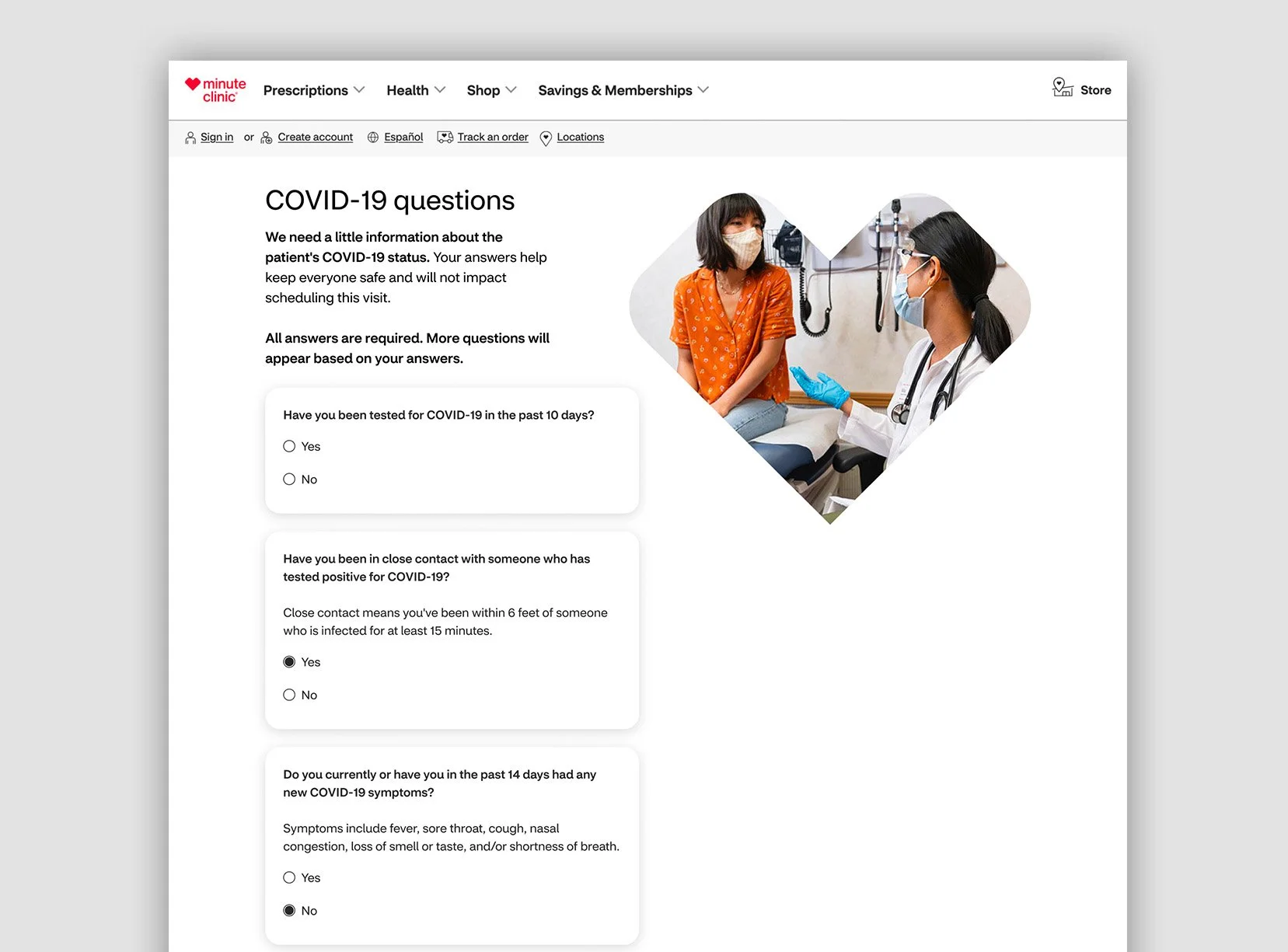
Adding safety screening without making booking harder
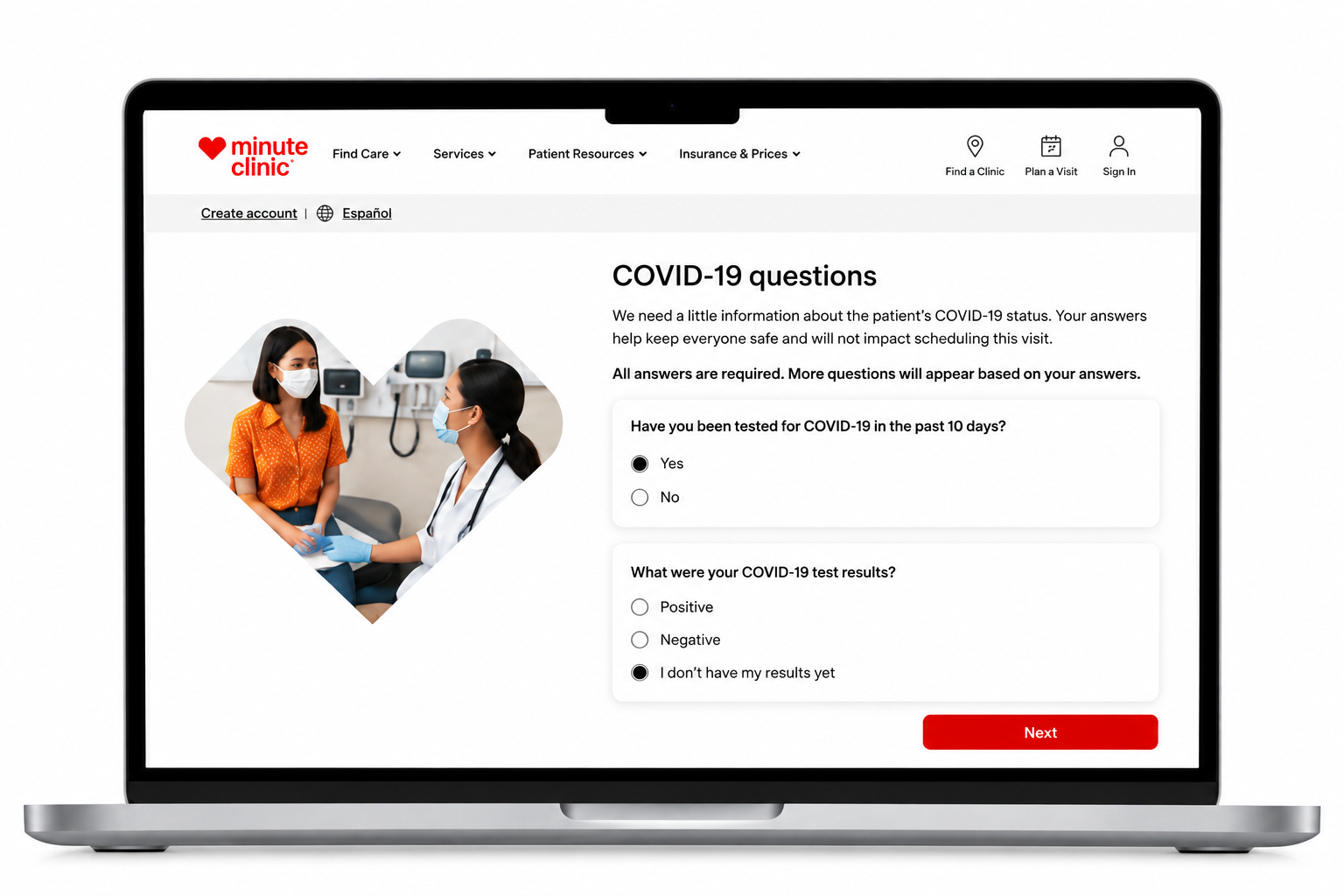
CVS needed to add COVID screening to appointment booking to help protect customers and in-store staff. The tension: introduce a new set of required questions without making an already important task feel harder.
Working with UX Research, I explored and tested where screening should appear so customers could complete the requirement with as little disruption to booking as possible.
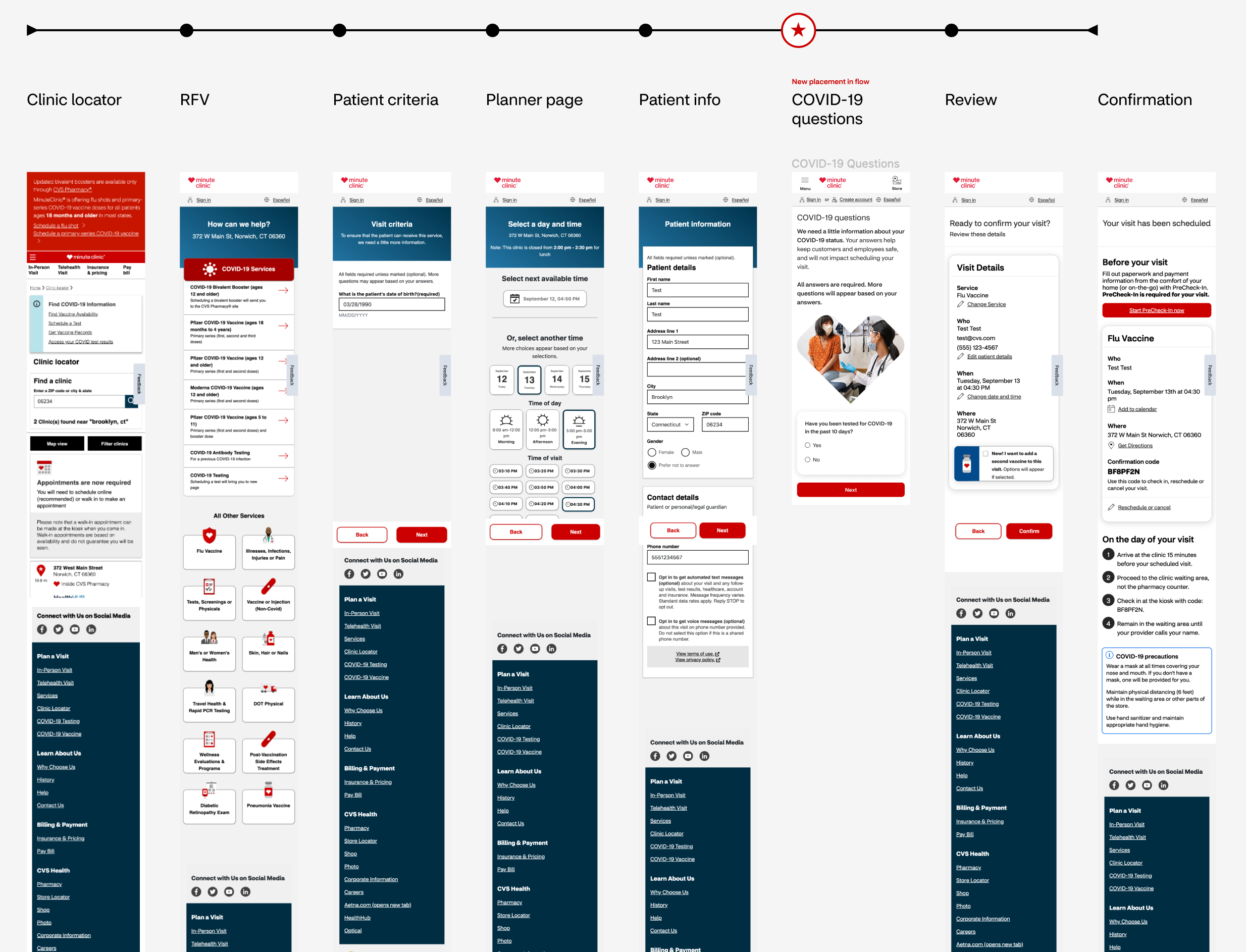
Finding the easiest point in the booking journey
I mapped the end-to-end scheduling flow to identify where COVID screening could be added most naturally. We tested different placements to see which was clearest to customers and least likely to interrupt completion. The selected placement reduced drop-off compared with the alternatives, helping customers move through booking with less added friction.
Making the questions easier to get through
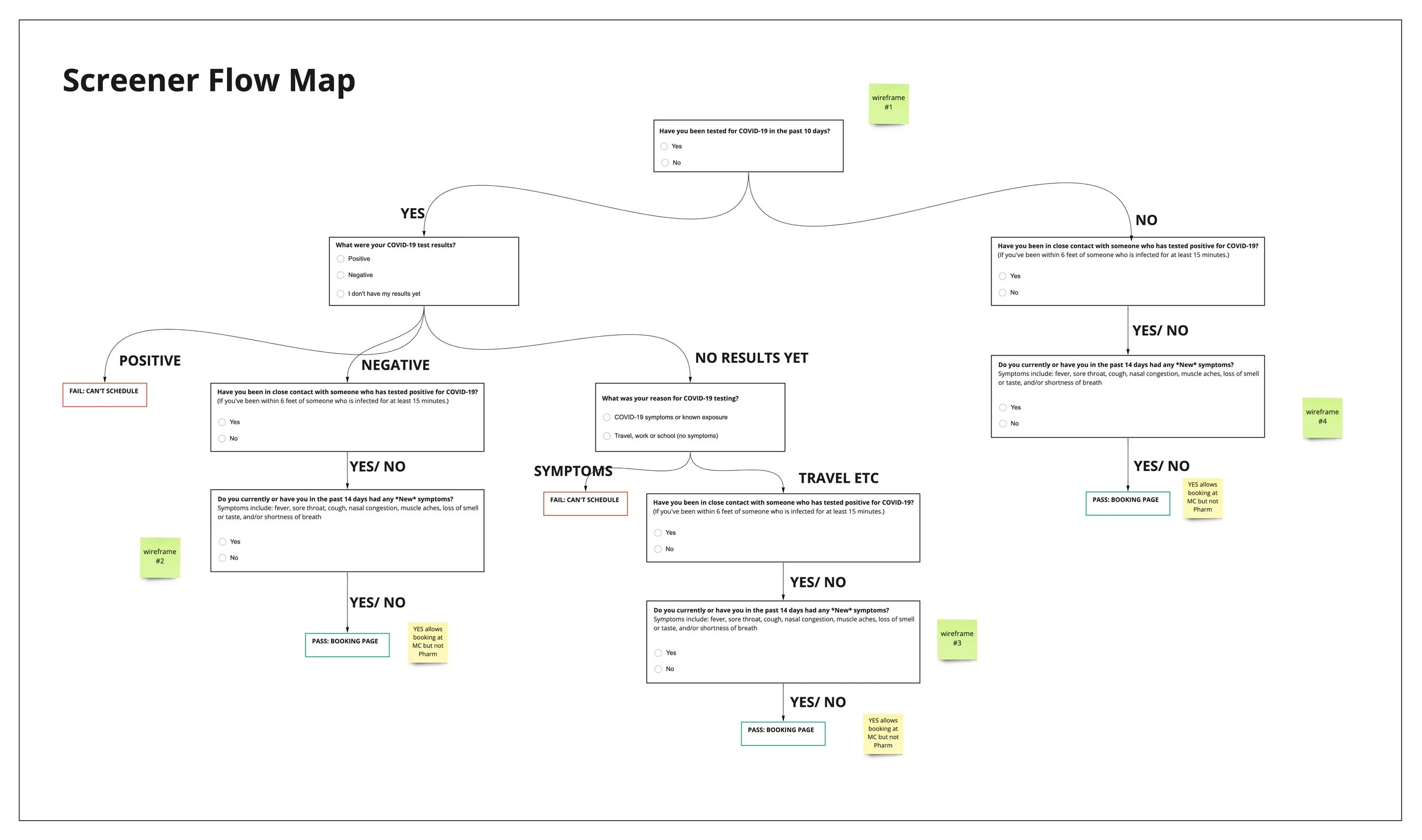
The screening logic had to account for different symptoms, exposures, and outcomes. Rather than show every question at once, we designed a dynamic questionnaire that adapted to each response and only surfaced what was relevant.
I mapped the different paths — including cases where customers could not continue scheduling — so the experience stayed clear for customers and the logic stayed clear for the team building it.
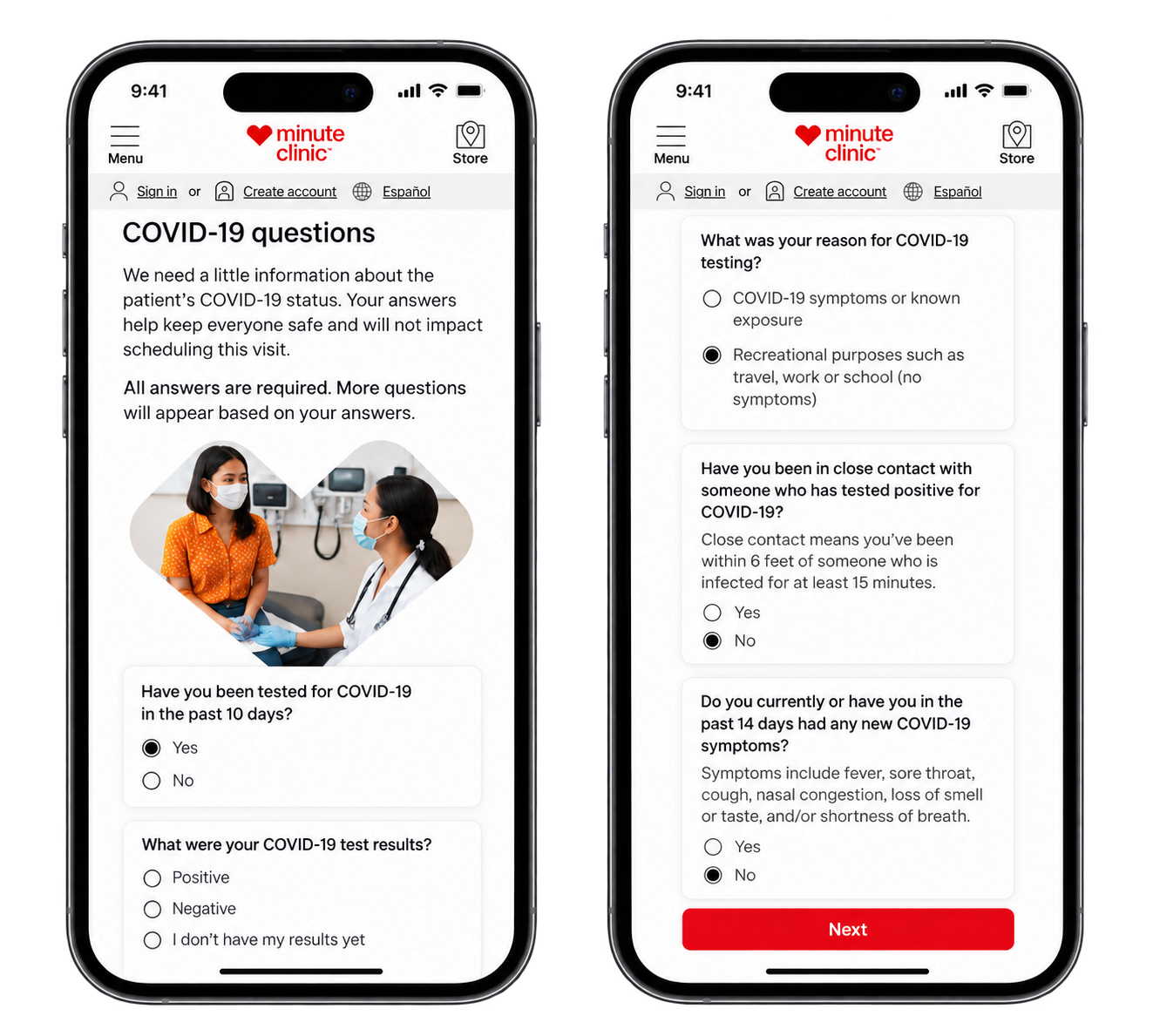
Keeping booking clear on every screen
I translated the screening experience across desktop and mobile, making sure changing questions and next steps remained easy to understand and complete on any device.
A required step — with less disruption to booking
Testing showed that the selected screening placement reduced drop-off compared with the alternatives. CVS could add an important safety requirement while keeping the appointment journey easier to complete.
Multi-Service Scheduling
Role: Senior UX Designer
Team: UX Research, UI Design, Product, Engineering
Focus: Making multi-service appointment booking easier

Making it easier to do more in one appointment
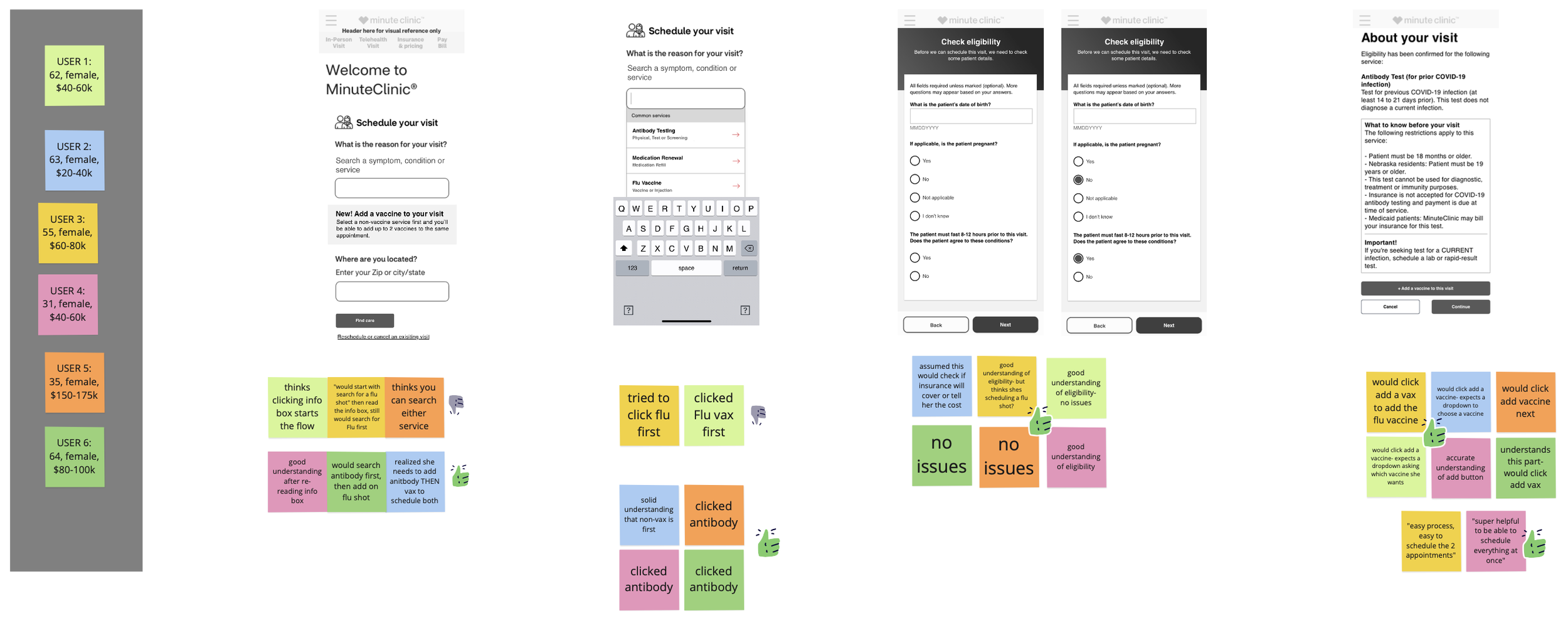
Customers could benefit from adding a vaccine to an existing appointment, but the booking journey didn’t make that easy. I mapped the different scheduling paths to find where an additional service could be offered without complicating the primary task.
Making “Add Vaccine” easier to find
We tested the existing “Add Vaccine” option on the About Your Visit page. Customers generally understood it — but some booking paths skipped that page entirely, meaning many customers never saw the option.
I explored alternative placements and recommended moving it to the confirmation page, giving more customers a consistent, easy way to add a compatible service without starting over.

One appointment. More done.
We designed a simpler multi-service experience that let customers add a COVID-19 vaccine or flu shot to an existing appointment instead of starting another booking from scratch.
Combining compatible services made appointments easier to manage, reduced scheduling inaccuracies and wait time, and reduced the need to call a store to make changes — while also supporting CVS Health’s goal of increasing vaccination uptake.