
Fidelity Investments
Role: Principal UX Designer
Team: Product · Design · Engineering · Research · Content · Accessibility
Focus: Authentication · MFA · Passkeys · Web · iOS · Cross-device Experiences
As a Principal UX Designer at Fidelity, I worked with designers and cross-functional partners across a range of customer authentication initiatives. My work focused on making secure account access easier to understand and use across web and mobile, from existing MFA experiences to new authentication capabilities.
MFA & Login · Passkeys · ID Gateway
Login: Multi-Factor Authentication (MFA)
Evolving the authentication experience
As Fidelity expanded the ways customers could verify their identity, authentication became more than simply entering a security code. I worked across the login and MFA experience to support multiple verification methods, including one-time passcodes, push authentication, and authenticator apps.
The challenge was creating experiences that were clear and consistent across different authentication methods, while giving customers straightforward ways to recover when something didn't work. Working closely with product and development, our design team translated a complex hierarchy of authentication methods into a simple, customer-facing experience for securely accessing an account.
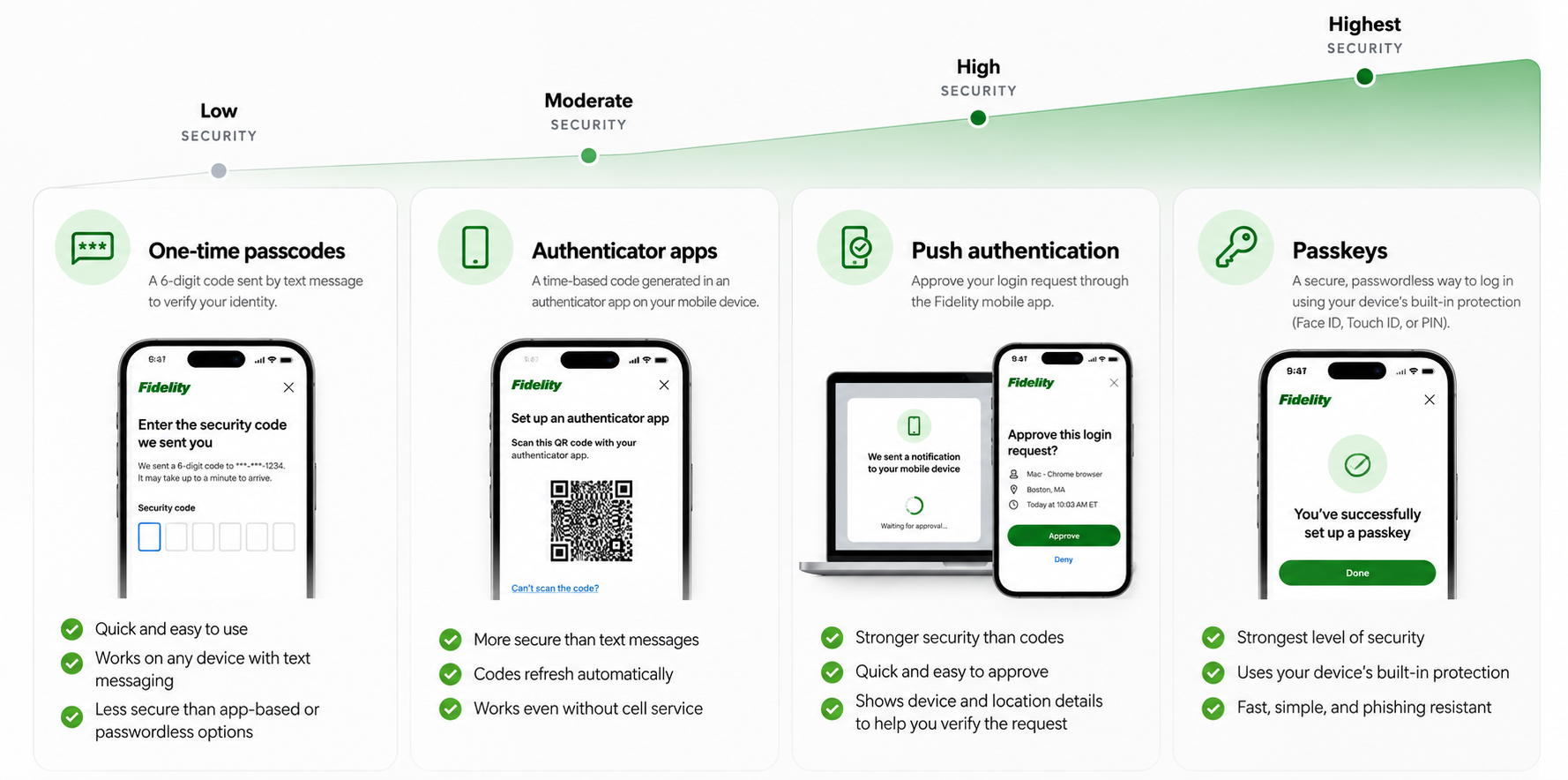
Organizing and ranking authentication methods
As we expanded Fidelity’s authentication options, I worked across the experience to establish a clear hierarchy between available methods and help customers understand their choices. One-time passcodes (OTP) provided the most familiar and accessible way to verify identity, while app-based and push authentication (Push) offered stronger alternatives. Passkeys represented the strongest authentication method in the experience, using the security built into a customer’s device. The goal was to create a consistent framework across methods while accounting for the very different setup and verification experiences each required.
Moving customers beyond OTP
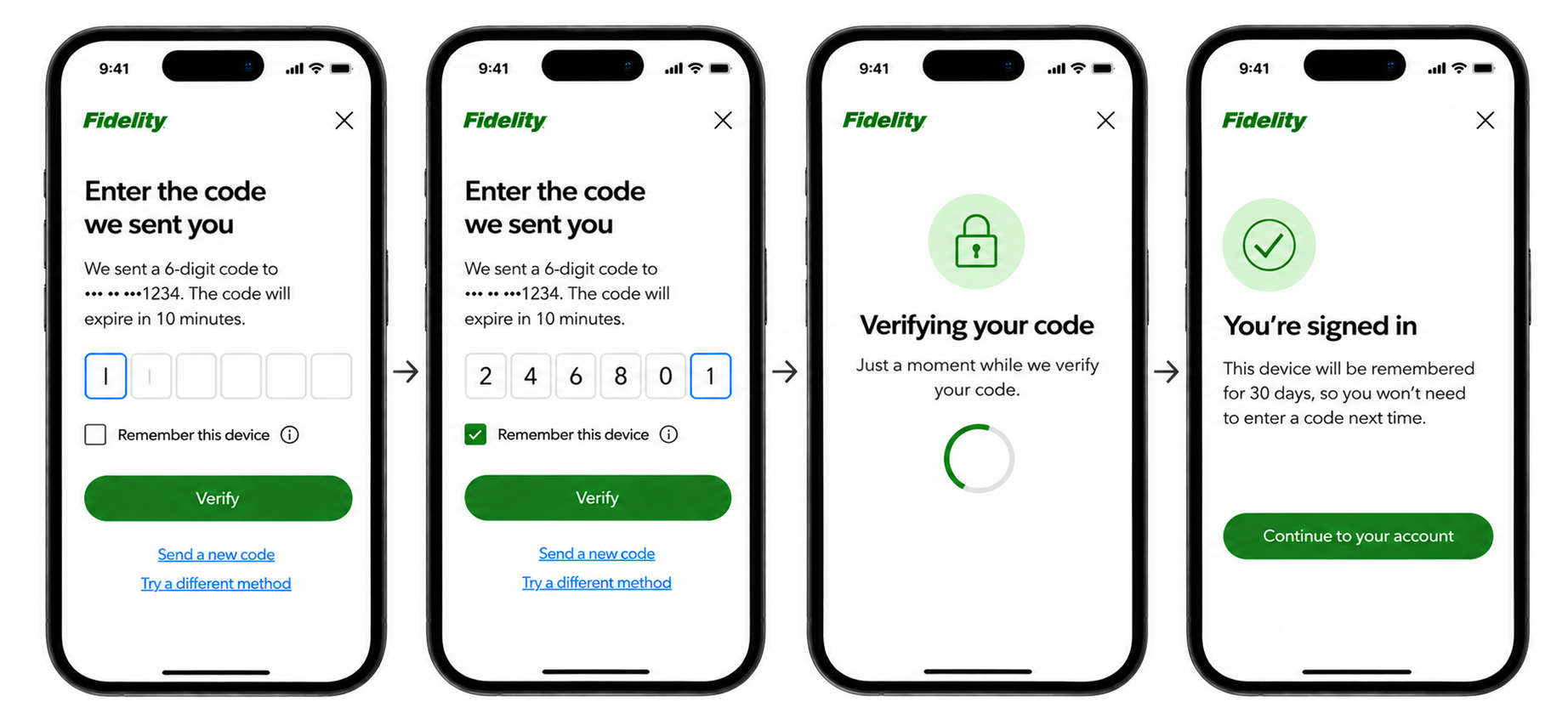
OTP was the most familiar authentication method, but also the lowest-security option in the hierarchy. I led updates to the existing OTP experience while helping create a clearer path toward stronger authentication methods.
The work included code entry, validation, recovery, and trusted-device behavior, with a focus on keeping the experience simple while encouraging customers to adopt stronger options.
Evolving push authentication
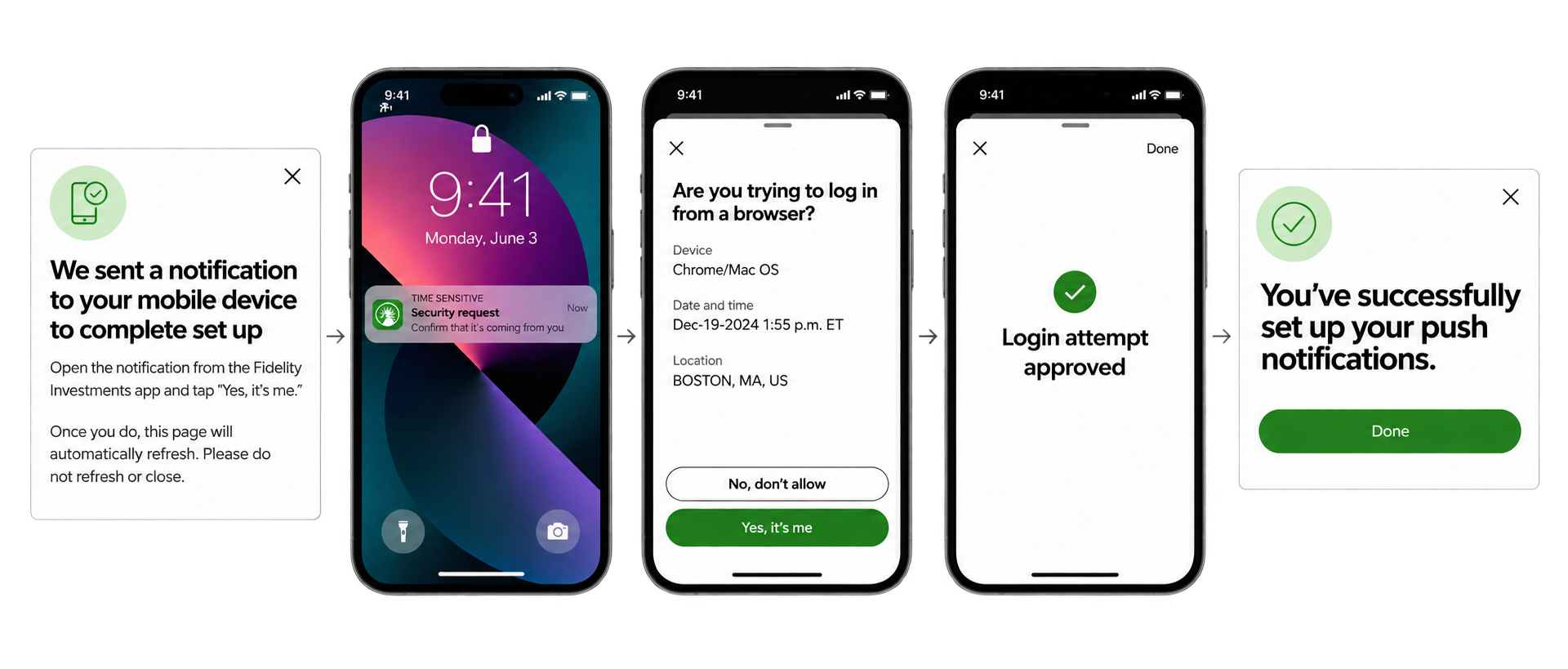
I led updates to the existing push authentication experience, which allows customers to begin logging in on one device and approve the request through the Fidelity mobile app.
The work focused on improving clarity across both sides of the interaction—helping customers understand what was happening, which device was requesting access, and what action they needed to take.
Improving authenticator app enrollment
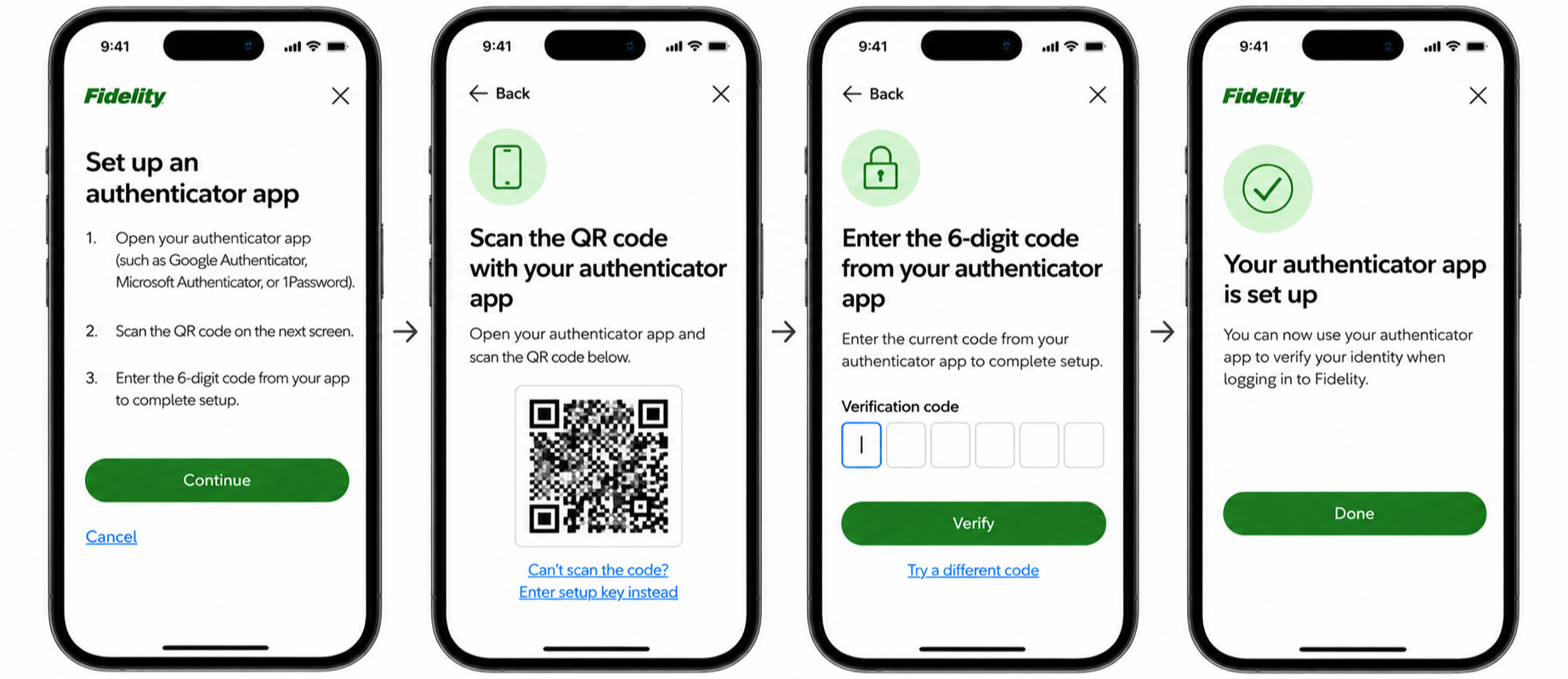
For authenticator apps, I helped simplify the setup journey from scanning the QR code through verification.
Passkeys: Introducing a new authentication method
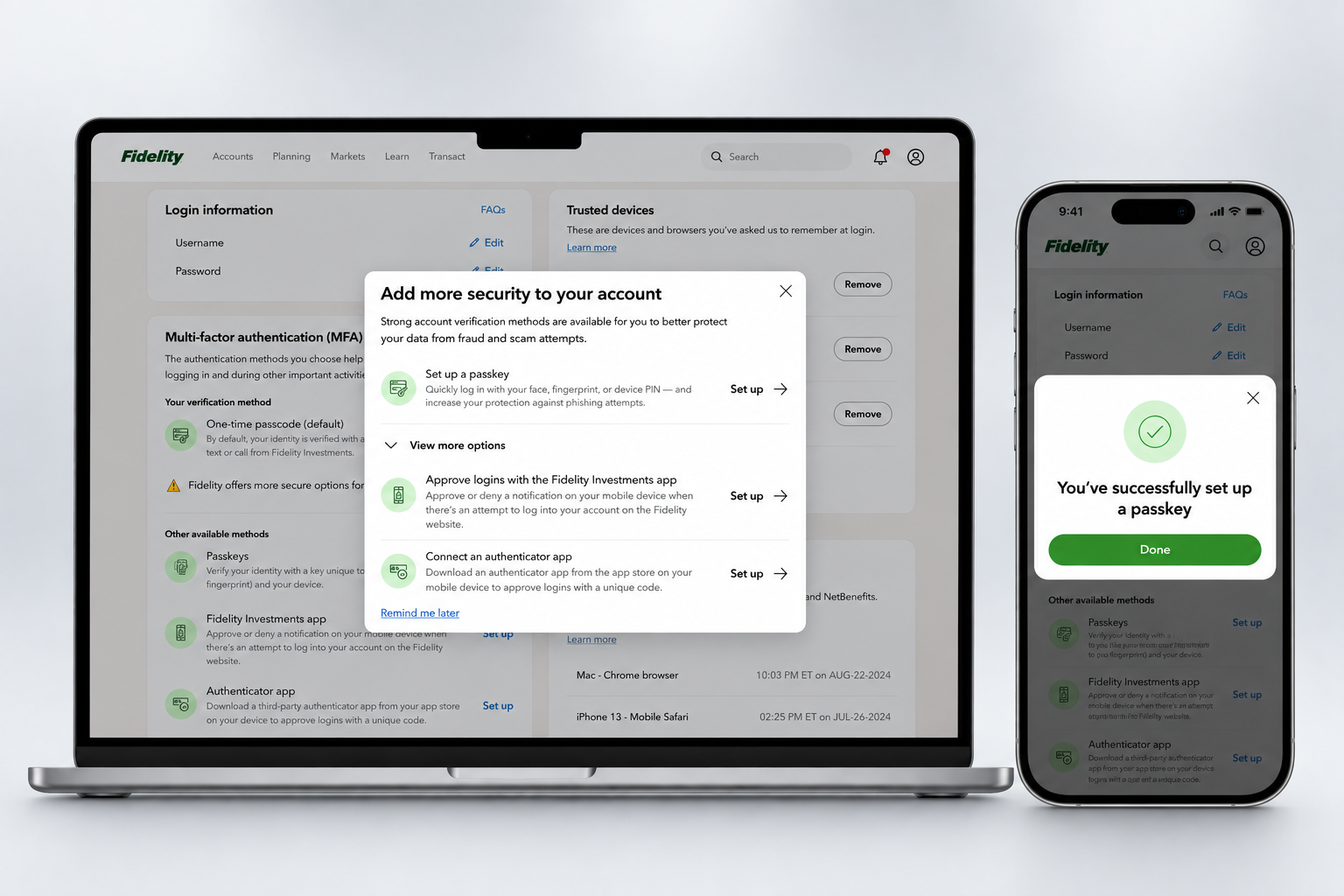
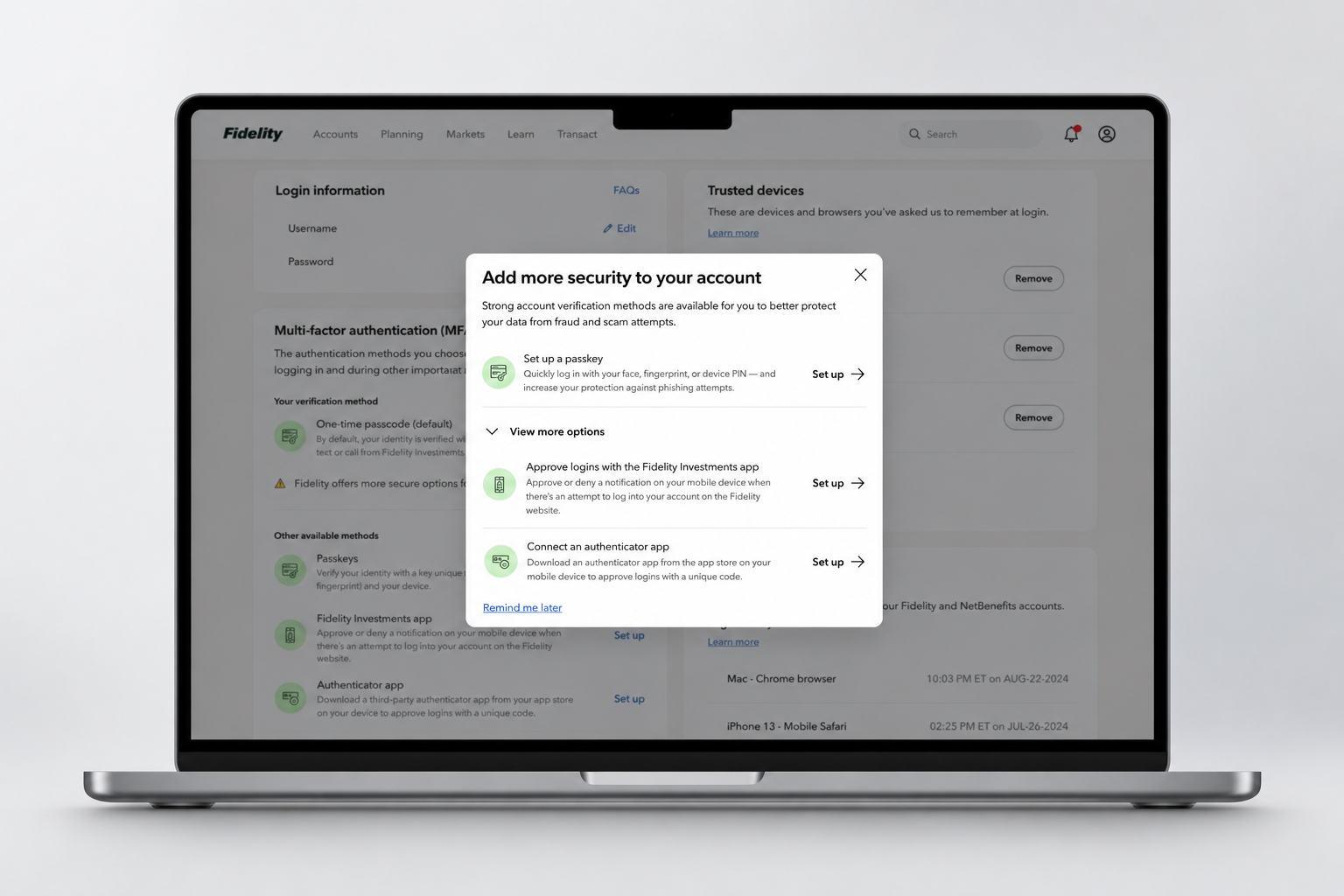
As Fidelity introduced passkeys, I led the UX work to make this new authentication method understandable and discoverable within the broader MFA experience.
A key challenge was encouraging customer adoption while fitting passkeys into Fidelity's existing authentication strategy and hierarchy. I worked closely with product, technology, business, and other stakeholders to define where and how customers would encounter passkeys and how the new experience would connect with existing authentication options.
Designing the Passkeys experience
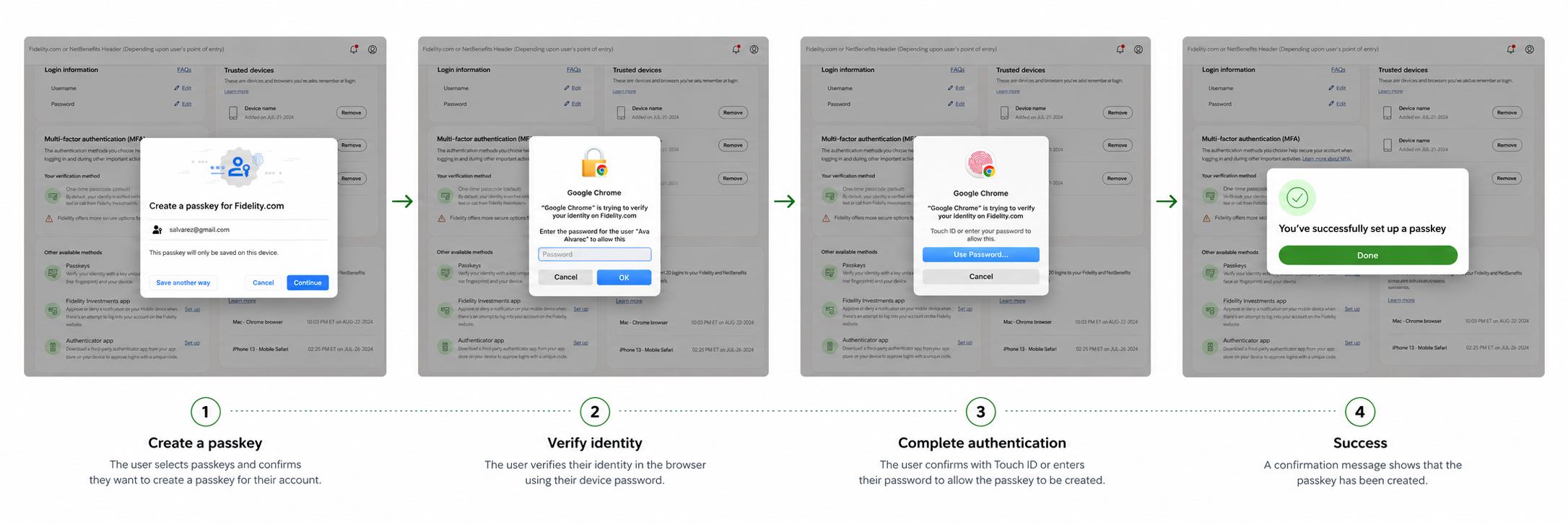
I led the design of the passkey enrollment experience, translating a new and unfamiliar authentication model into a clear, approachable flow for customers.
Working closely with technology and business partners, I designed the experience from initial setup through device authentication and confirmation, accounting for the technical requirements while keeping the customer journey simple. The experience needed to make a technically complex process feel familiar and understandable, while clearly communicating what had happened at each step.
Managing passkeys
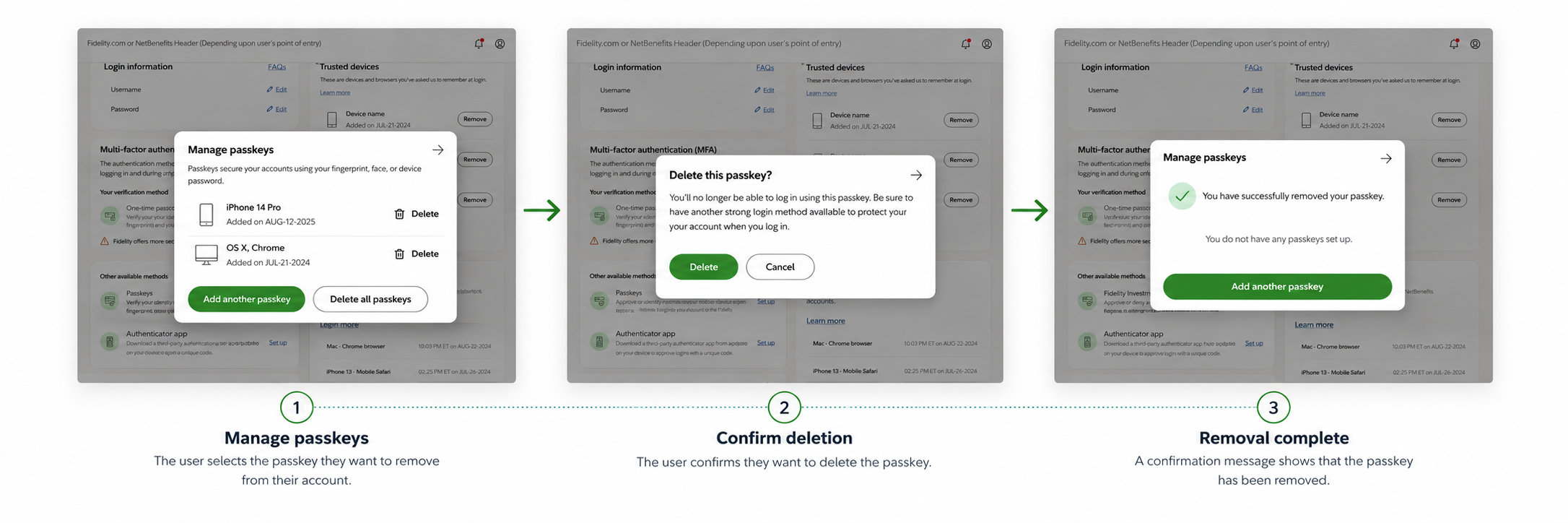
Creating a passkey was only the beginning. Customers also needed a way to understand and manage the passkeys associated with their account. I designed the management and removal experience to give customers visibility and control over their passkeys after setup.
Outcome: A more cohesive authentication experience
The work created a clearer, more consistent framework for authentication across web and mobile—making existing methods easier to understand and enroll in while establishing a foundation for stronger authentication methods like passkeys.
Clearer enrollment
Simplified setup across multiple authentication methods.
More consistent authentication
Created common patterns across different verification experiences.
Foundation for passkeys
Established a framework for introducing and managing a new authentication method.