
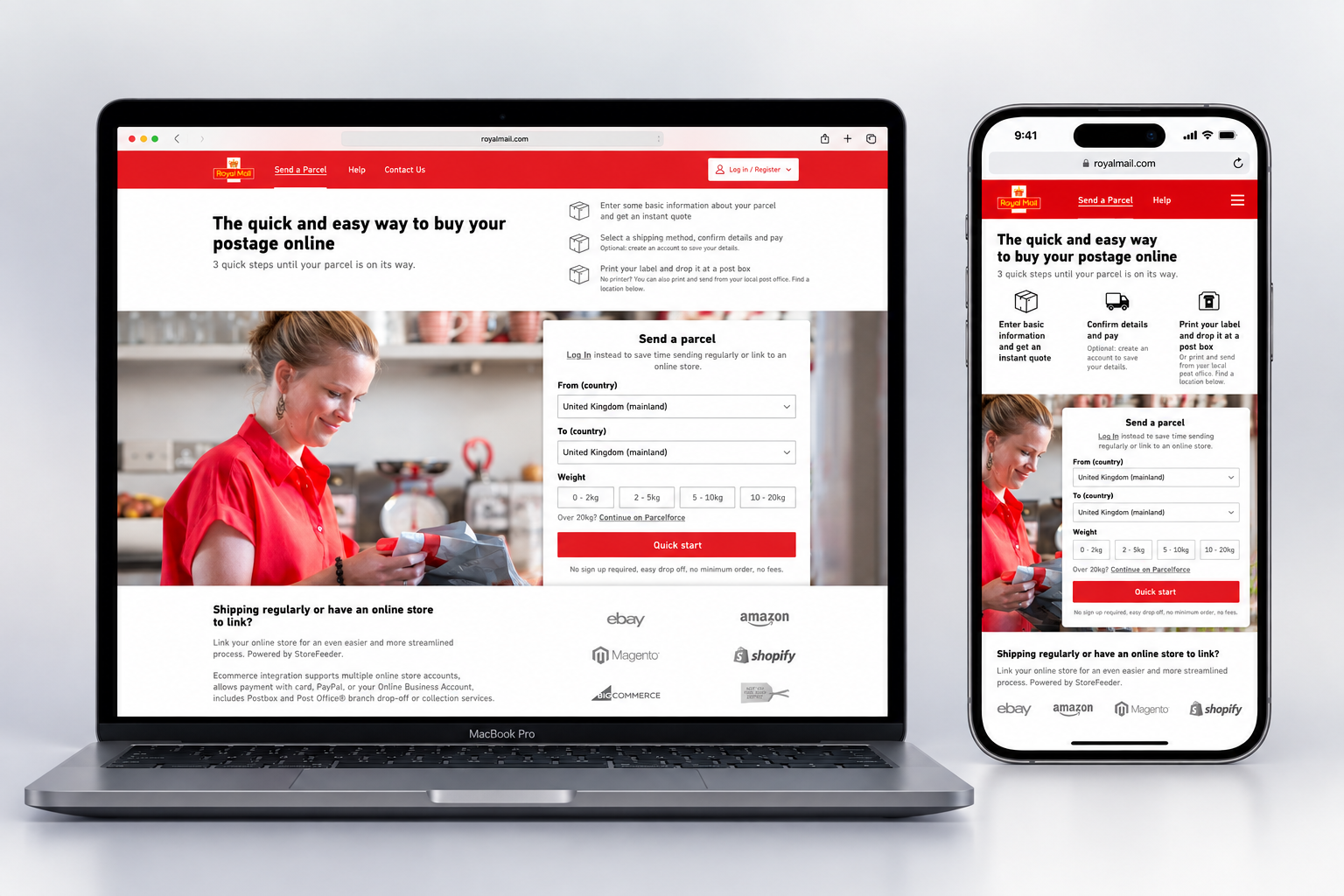
Royal Mail
UX Research · Usability Testing · Information Architecture · Interaction Design · Responsive Design
Sending a parcel should be simple. The existing experience wasn’t.
Customers weren’t always sure where to start, how far along they were, what unfamiliar shipping terms meant, or how to recover when something went wrong.
As the primary UX Designer on a new Click & Drop experience for Royal Mail, I led the research and design from initial concepts through detailed interaction and visual design.
Working with project managers, researchers, developers, and a Design Director, I redesigned the journey around one simple goal:
Help customers get a parcel sent as quickly and easily as possible.
THE PROBLEM WASN’T SHIPPING. IT WAS THE EXPERIENCE.
Through user interviews, I identified several points of friction in the existing Click & Drop journey. Customers struggled with:
Where to begin- They weren’t always sure which user type to select.
How to move through the process- Navigation was limited and there was little indication of progress.
What to do when something went wrong- Forms provided limited help preventing or recovering from errors.
What the language meant- Internal and business terminology created unnecessary confusion.
These weren’t isolated usability issues. Together, they made a relatively simple task feel harder than it needed to be.

FINDING THE SHORTEST PATH FROM “I HAVE A PARCEL” TO “IT’S READY TO SEND”
I mapped the complete journey for the primary user: someone creating a shipment online, paying for it, generating a label, and dropping the parcel at a Royal Mail location.
This helped identify the essential steps, decisions, and information customers actually needed.
The goal was not simply to redesign individual screens. It was to create a clearer path through the entire task.
DIFFERENT CUSTOMERS. ONE SHARED GOAL.
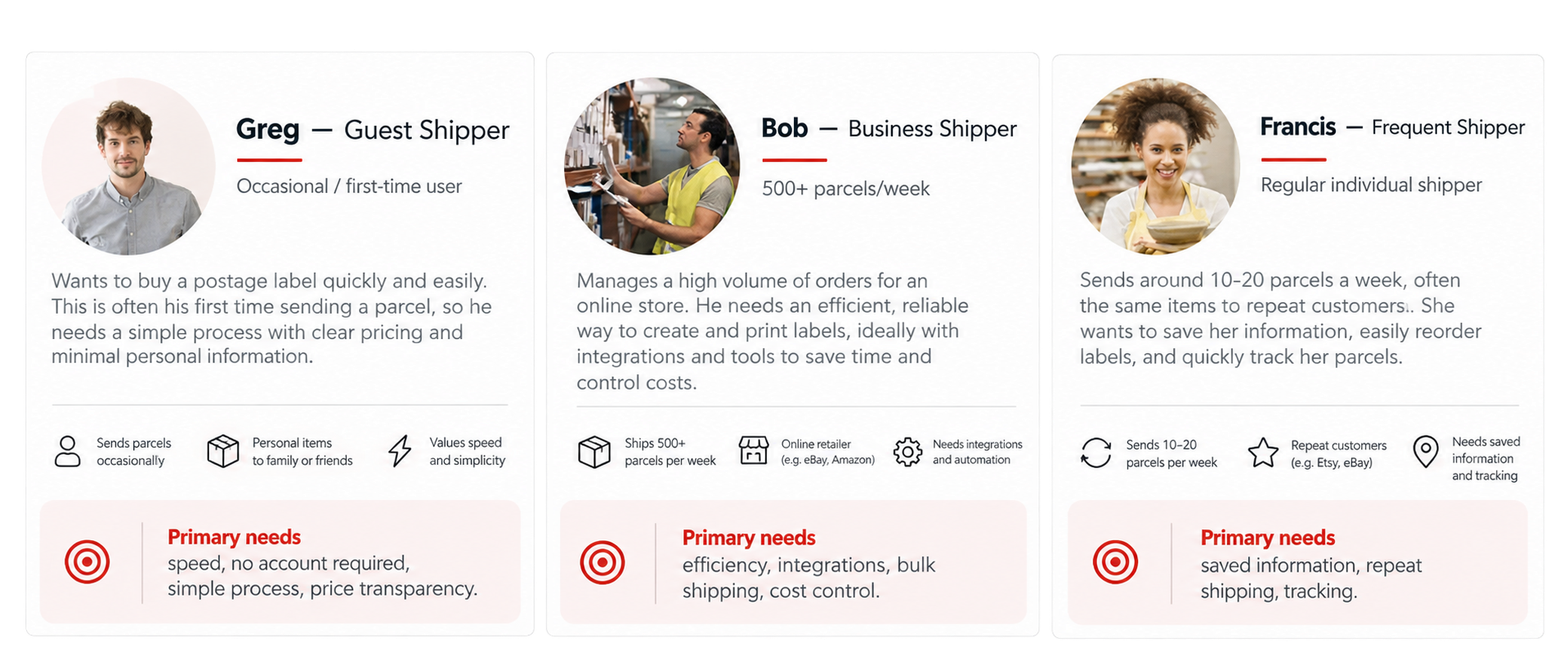
Research identified three main types of Click & Drop customers:
Guest Shippers: Occasional or first-time customers who wanted speed, simplicity, clear pricing, and no requirement to create an account.
Frequent Shippers: Regular customers who valued saved information, repeat shipping, and tracking.
Business Shippers: High-volume customers who needed efficiency, integrations, bulk shipping, and cost control.
Their needs differed — but they shared one important expectation: Make sending shipments quick and efficient.
CREATING A CLEARER STARTING POINT
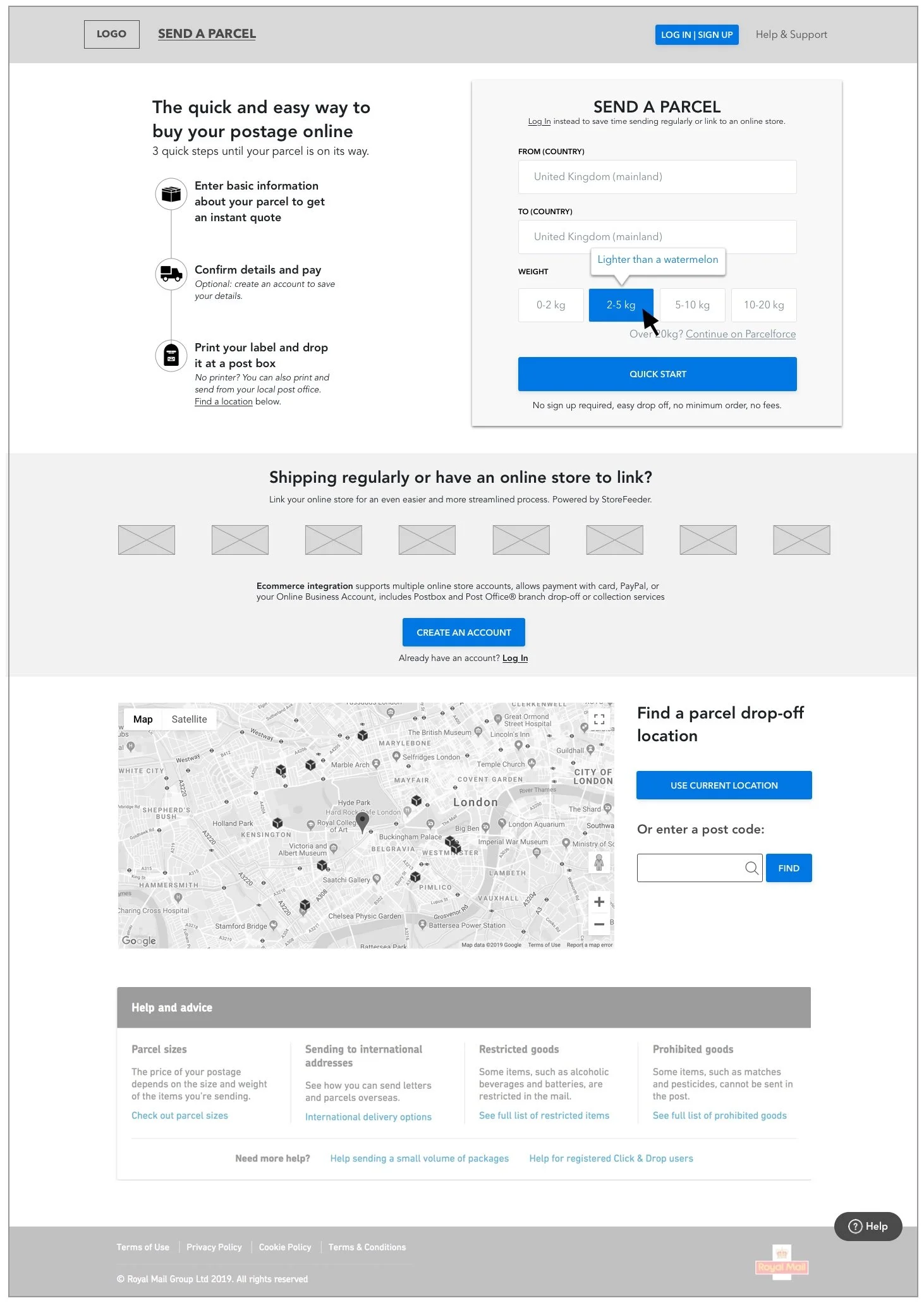
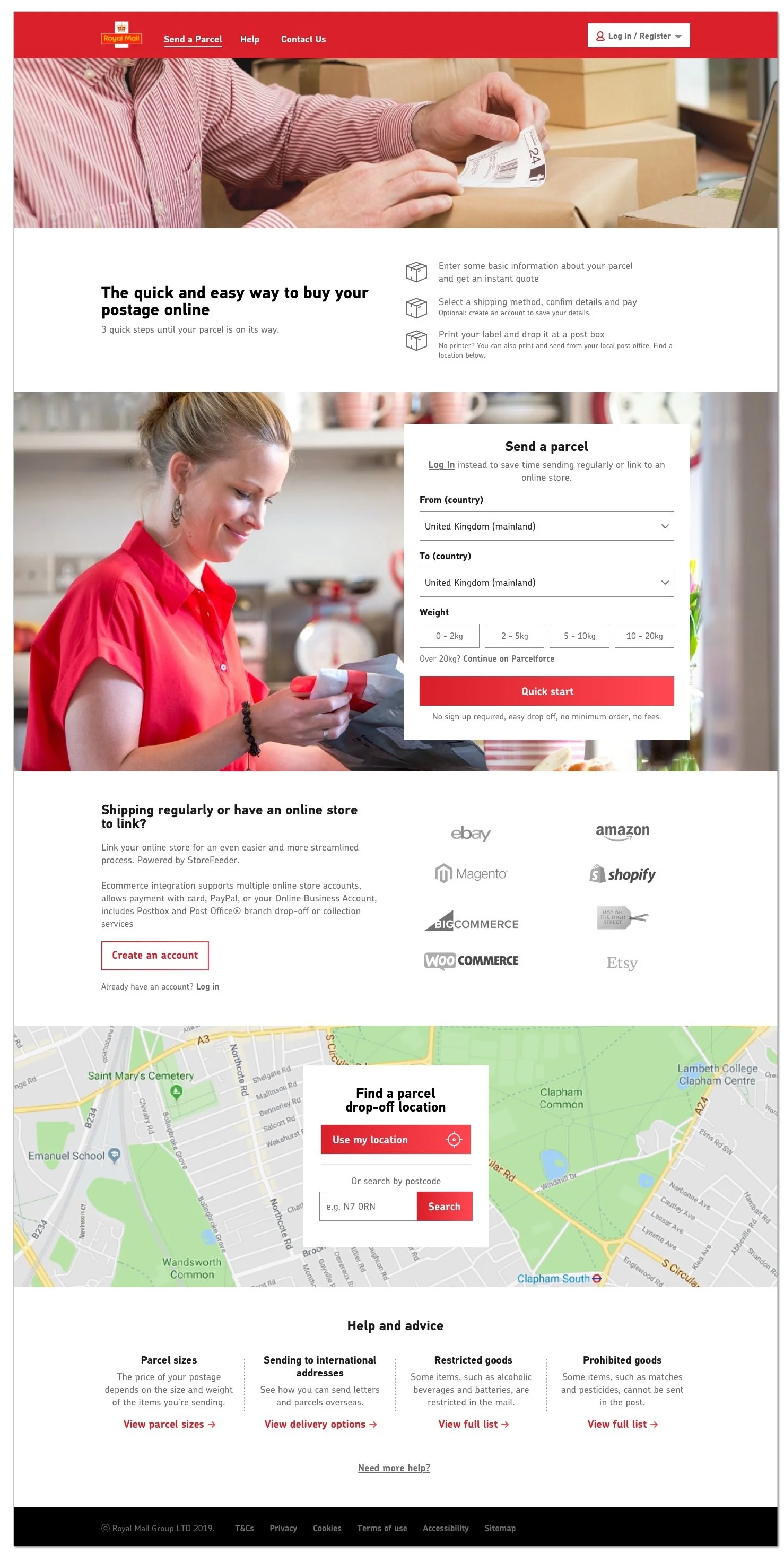
The existing homepage asked customers to make choices before they fully understood the process.
I redesigned the starting experience to explain the basic journey upfront:
Create shipment → Pay → Print label
Customers could immediately understand what they were about to do and what would be required.
A clearer beginning made the entire process feel more manageable.
PRIORITIZING THE FASTEST PATH
Guest shippers represented the largest customer group — and they had the simplest need:
Send a parcel without unnecessary setup.
I prioritized a quick-start path that allowed them to begin immediately without creating an account.
Returning and business customers could still sign in for more personalized tools, but occasional customers weren’t burdened with options they didn’t need.
The simplest customer need got the simplest route.
SUPPORTING MORE COMPLEX NEEDS WITHOUT ADDING CLUTTER
Frequent and business shippers needed more functionality, but putting every option in front of every customer would have made the experience harder for everyone.
I created clear pathways for customers who shipped regularly or managed an online store while keeping those choices secondary for occasional shippers.
Customers could access more complexity when they needed it — without everyone having to navigate through it.
DESIGNING THE SHIPPING FLOW, ONE CLEAR STEP AT A TIME
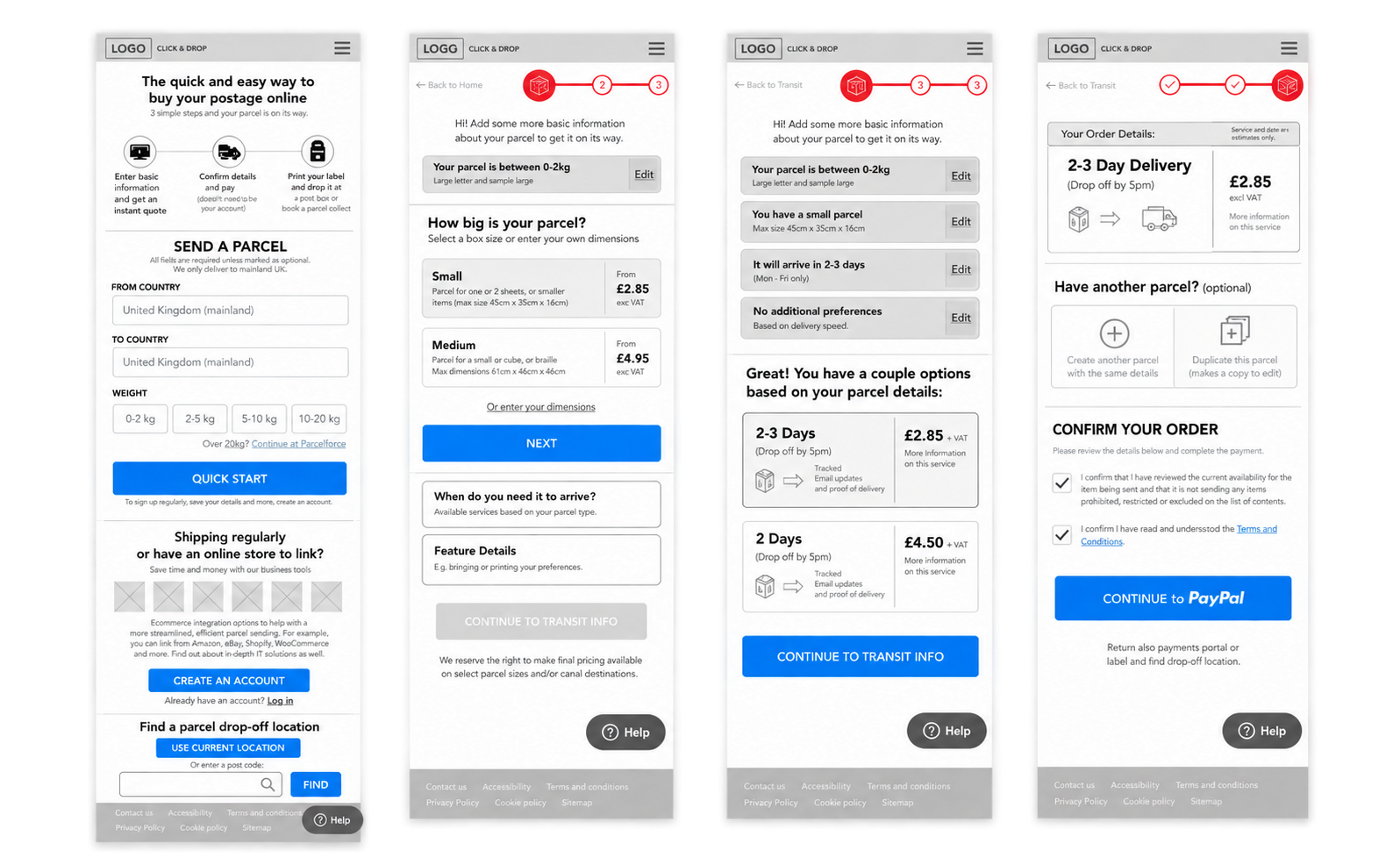
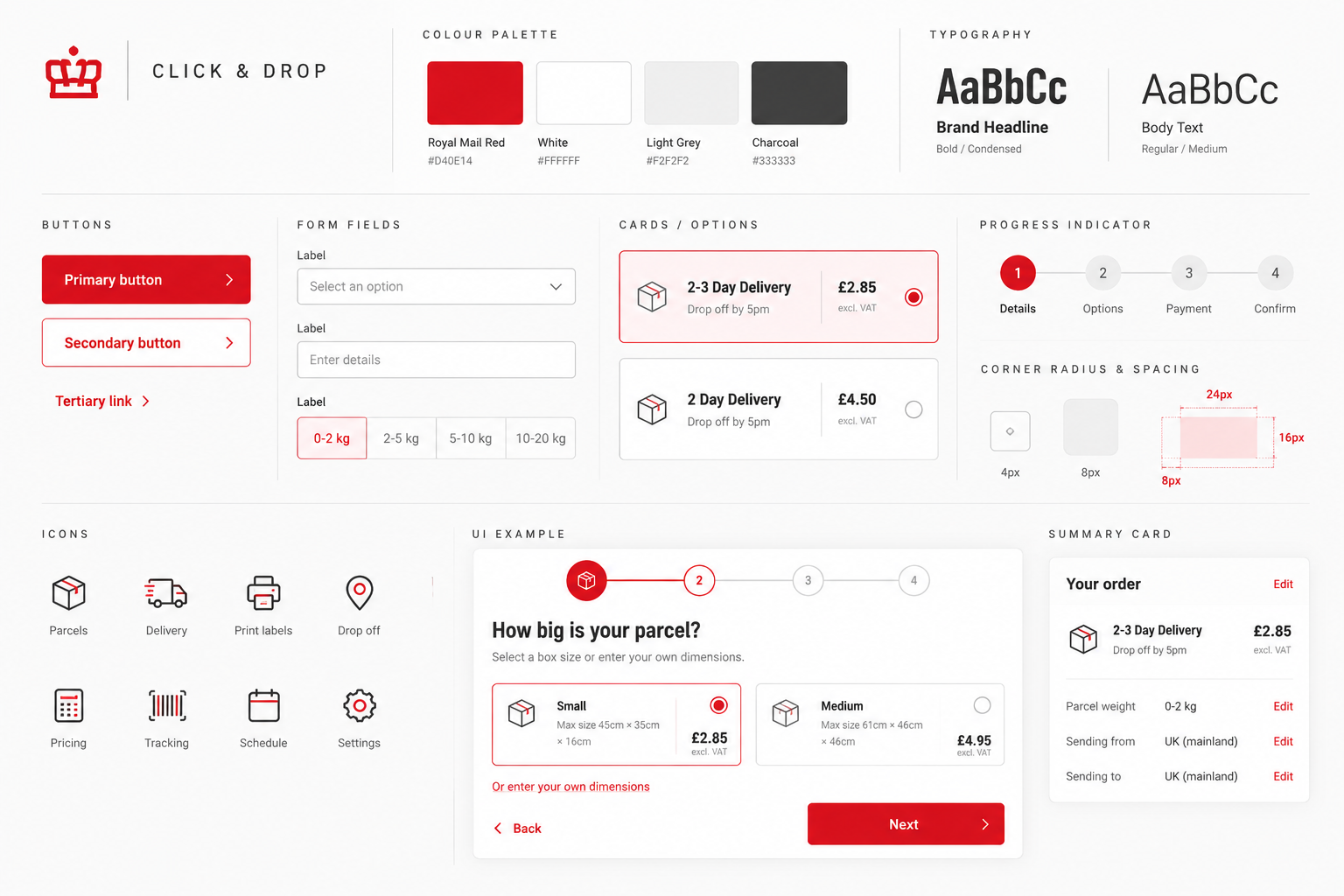
I translated the research into a guided, step-by-step shipping experience. Rather than asking customers to process everything at once, the flow progressively gathered the information needed to create a shipment. Customers could clearly see:
What they needed to do next
What they had already selected
What their choices would cost
What delivery options were available
Progress indicators helped customers know where they were, while editable selections made it easier to go back and make changes.
The experience did more of the thinking so the customer had less to figure out.
BRINGING THE EXPERIENCE INTO THE ROYAL MAIL BRAND
Once the UX was established, I translated it into a cohesive visual experience using Royal Mail’s existing brand guidelines and design assets. I developed the final desktop experience while balancing the personality of an established national brand with the clarity and usability established through the UX work.
The experience could feel unmistakably Royal Mail while still putting the task first.
FROM RESEARCH TO A LIVE CUSTOMER JOURNEY
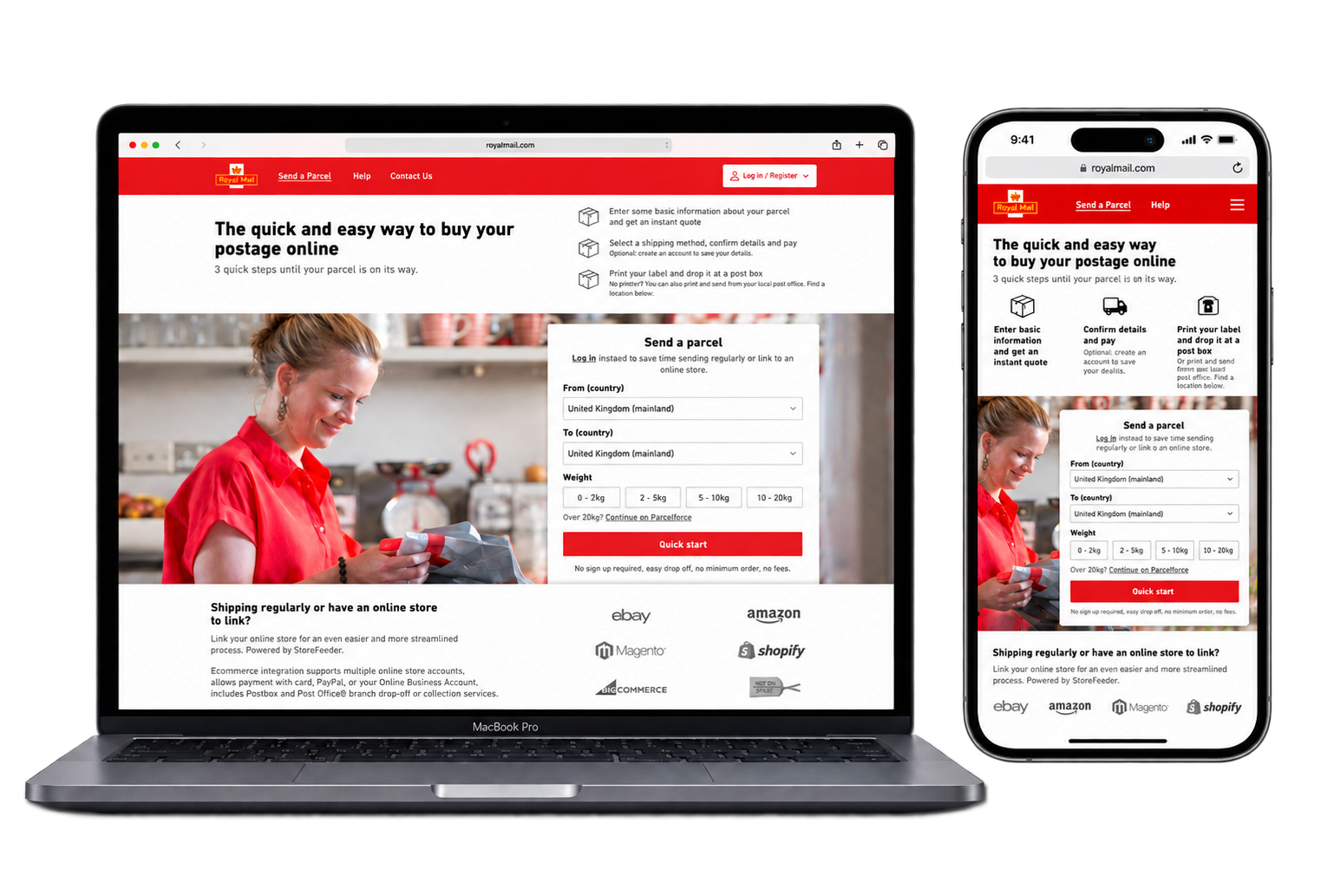
The redesigned Click & Drop experience launched as a new Royal Mail shipping journey.
I worked with developers through implementation to ensure the final experience maintained the intended interactions, responsive behavior, and visual design across desktop and mobile.
The result was a clearer experience for guest, frequent, and business shippers — built around the same customer need identified at the very beginning:
Get the parcel sent. Quickly. Easily.